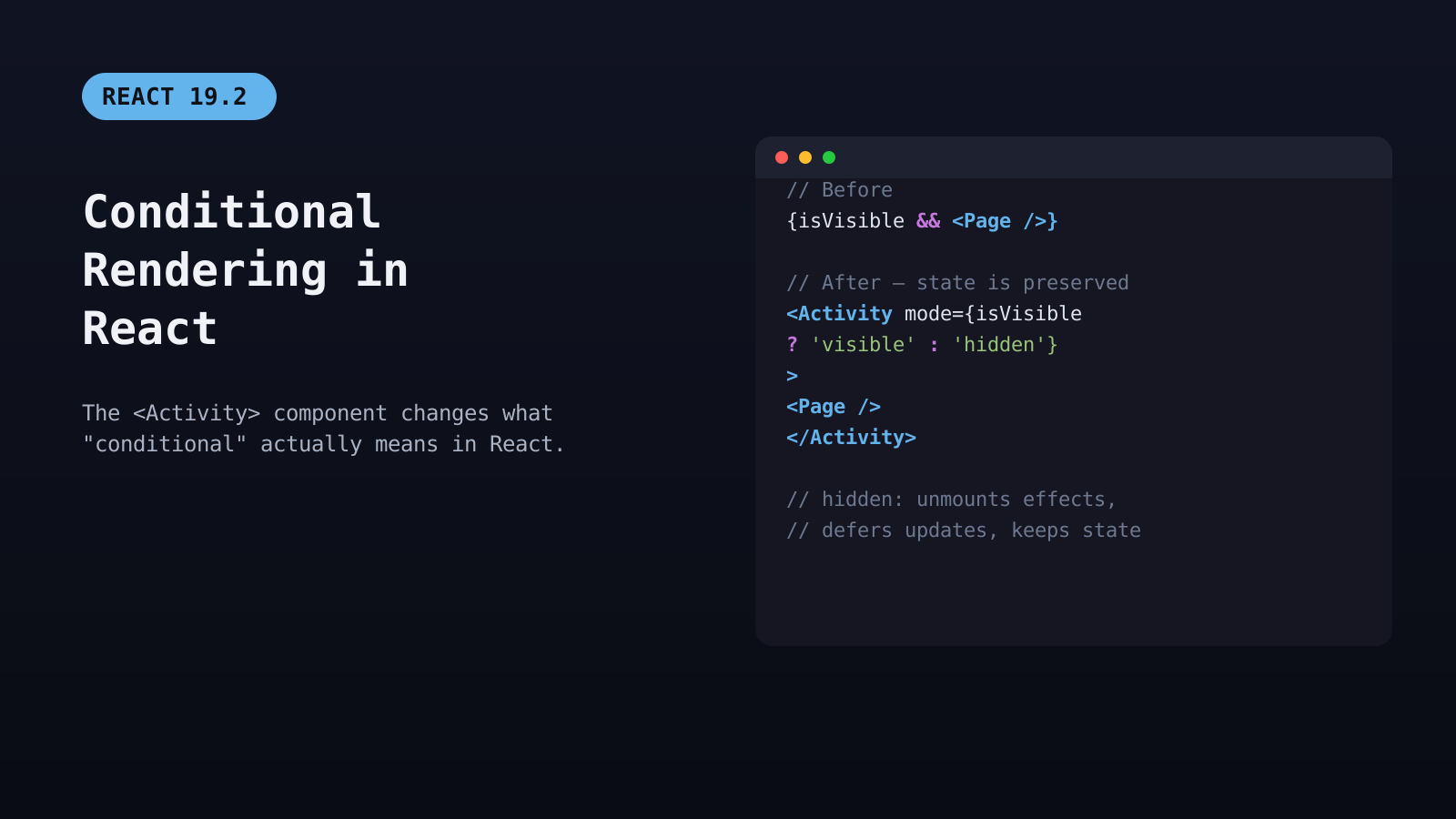
React 19.2, released October 1, 2025, shipped a component called <Activity> that changes what “conditional” actually means in React rendering — instead of the classic
{isVisible && <Component />} pattern destroying and recreating a component on every toggle, Activity can hide it while keeping its state, DOM position, and effects intact. For anyone still writing conditional rendering the old way by default, this is the first genuinely new primitive for the
job since hooks landed in 2018.
The Two Building Blocks: Conditions and Lists
Conditional rendering and list rendering solve different problems but show up in the same components constantly: conditions decide
whether something renders, lists decide
how many times. Both are just JavaScript — React doesn’t have special template syntax for either, which is exactly why they trip up developers coming from templating-language frameworks.
function Notification({ message, isVisible }) {
  if (!isVisible) return null;
  return <div className="toast">{message}</div>;
}
Returning
null is the simplest form of conditional rendering — a component can always opt out of rendering anything at all.
The Classic Patterns (and Where They Break)
Three patterns cover most day-to-day conditional rendering:
// Ternary — for either/or UI
{isLoading ? <Spinner /> : <Results data={data} />}

// Logical AND — for show/hide
{unreadCount > 0 && <Badge count={unreadCount} />}

// Early return — for whole-component guards
if (!user) return <LoginPrompt />;
The
&& pattern has a well-known footgun: if the left side evaluates to
0 rather than
false, React renders the literal number
0 onto the page instead of nothing, because
0 is falsy but still a valid, renderable value.
{unreadCount && <Badge />} silently prints a stray “0” when the count is zero; the fix is forcing a boolean with
{unreadCount > 0 && <Badge />} or
{Boolean(unreadCount) && ...}.
What <Activity> Actually Changes
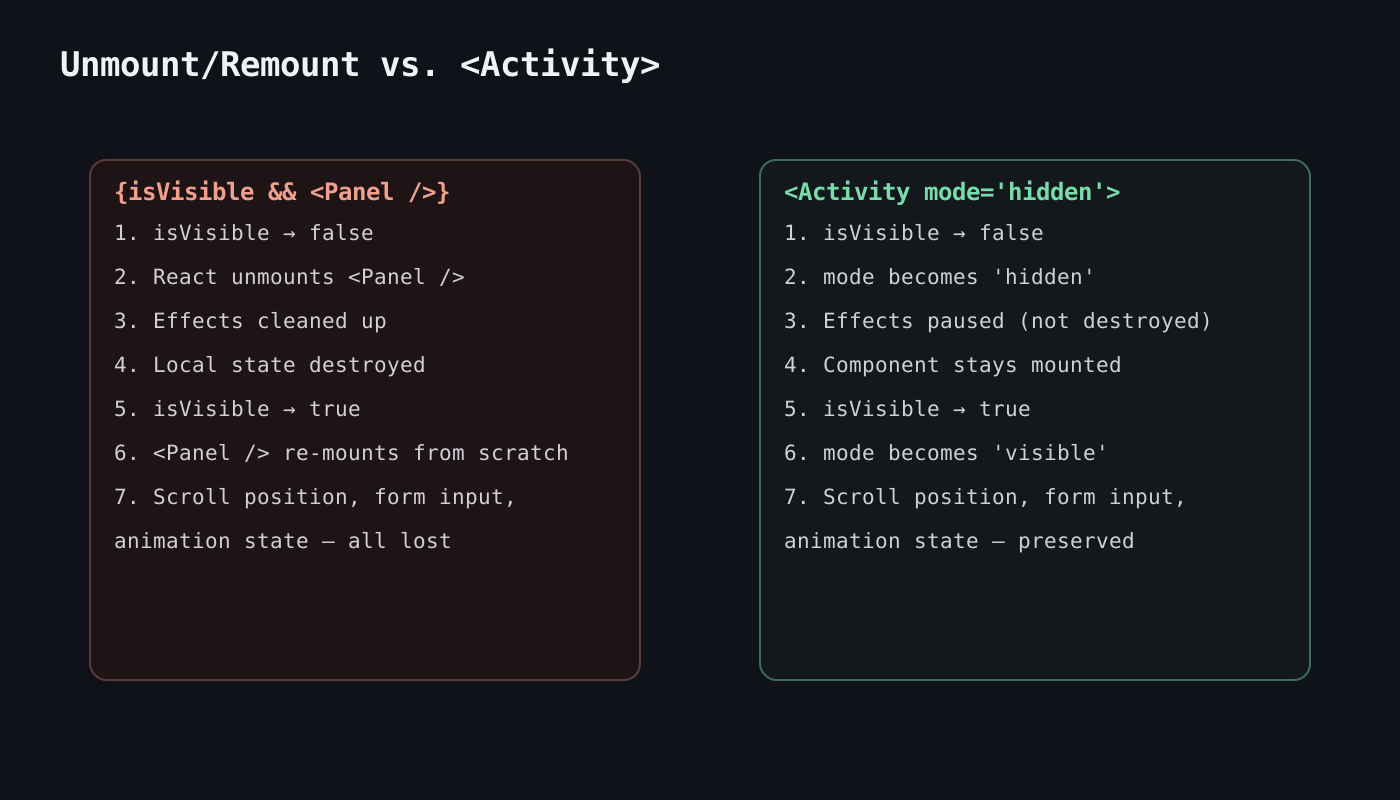
Every one of those patterns shares the same underlying behavior: when the condition flips, React unmounts the old branch and mounts the new one from scratch. For a modal, a tab panel, or a multi-step wizard, that means losing scroll position, in-progress form input, and any local state the moment it’s hidden. React 19.2’s <Activity> component was built specifically to solve this.
// Before — full unmount/remount on every toggle
{isVisible && <SettingsPanel />}

// After — state and effects survive being hidden
<Activity mode={isVisible ? 'visible' : 'hidden'}>
  <SettingsPanel />
</Activity>
In
hidden mode, Activity keeps the subtree mounted but unmounts its effects and defers any pending updates until React has spare capacity — the component’s local state (form values, scroll offset, animation progress) stays exactly where it was. Switching back to
visible re-runs effects and resumes updates immediately. This is a genuine tradeoff, not a free upgrade: hidden content still occupies memory and DOM nodes, so Activity is the right tool for things a user toggles back and forth — tabs, sidebars, wizard steps — not for content that’s gone for good.

Rendering Lists Correctly
Lists in React are rendered with
.map(), and every item needs a stable
key prop so React can track which DOM nodes correspond to which data across re-renders.
function TodoList({ todos }) {
  return (
    <ul>
      {todos.map(todo => (
        <li key={todo.id}>{todo.text}</li>
      ))}
    </ul>
  );
}
Using an item’s array index as its key works only if the list is static and never reorders, filters, or has items inserted in the middle — the moment it does, index keys cause React to mismatch state and DOM nodes between renders, which shows up as input fields losing focus or checkboxes toggling the wrong row.
The fix is always the same: use a stable, unique identifier from the data itself (a database ID, a UUID) rather than the array position.
Combining Conditions Inside Lists
Real UIs usually need both at once — filtering which items render, then conditionally styling or labeling each one:
function TaskList({ tasks, showCompleted }) {
  const visible = showCompleted
    ? tasks
    : tasks.filter(t => !t.completed);

  if (visible.length === 0) {
    return <p className="empty-state">No tasks to show.</p>;
  }

  return (
    <ul>
      {visible.map(task => (
        <li key={task.id} className={task.completed ? 'done' : ''}>
          {task.text}
          {task.overdue && <span className="badge">Overdue</span>}
        </li>
      ))}
    </ul>
  );
}
Filtering happens once before the
.map(), not inside the loop with a conditional
return null per item — that keeps the key logic and the empty-state check both simple and correct.
Frequently Asked Questions
Does <Activity> replace the && and ternary patterns entirely?
No. For content that should be fully destroyed and rebuilt when hidden — a one-time confirmation dialog, a route that’s genuinely gone — the classic patterns are still simpler and correct. Activity is specifically for cases where preserving state across hide/show cycles matters and the performance cost of staying mounted is acceptable.
Why does my list re-render every item when only one changed?
Usually a missing or unstable
key, or a parent component re-creating a new array/object reference on every render even when the underlying data hasn’t changed — wrapping the derived list in
useMemo can prevent that when the computation itself is expensive.
Is returning null from a component a performance concern?
No — it’s the standard, recommended way to render nothing, and React handles it with no meaningful overhead.Want more React deep dives like this?
Explore more Web Development articles.
Related Reading
Post Views: 242