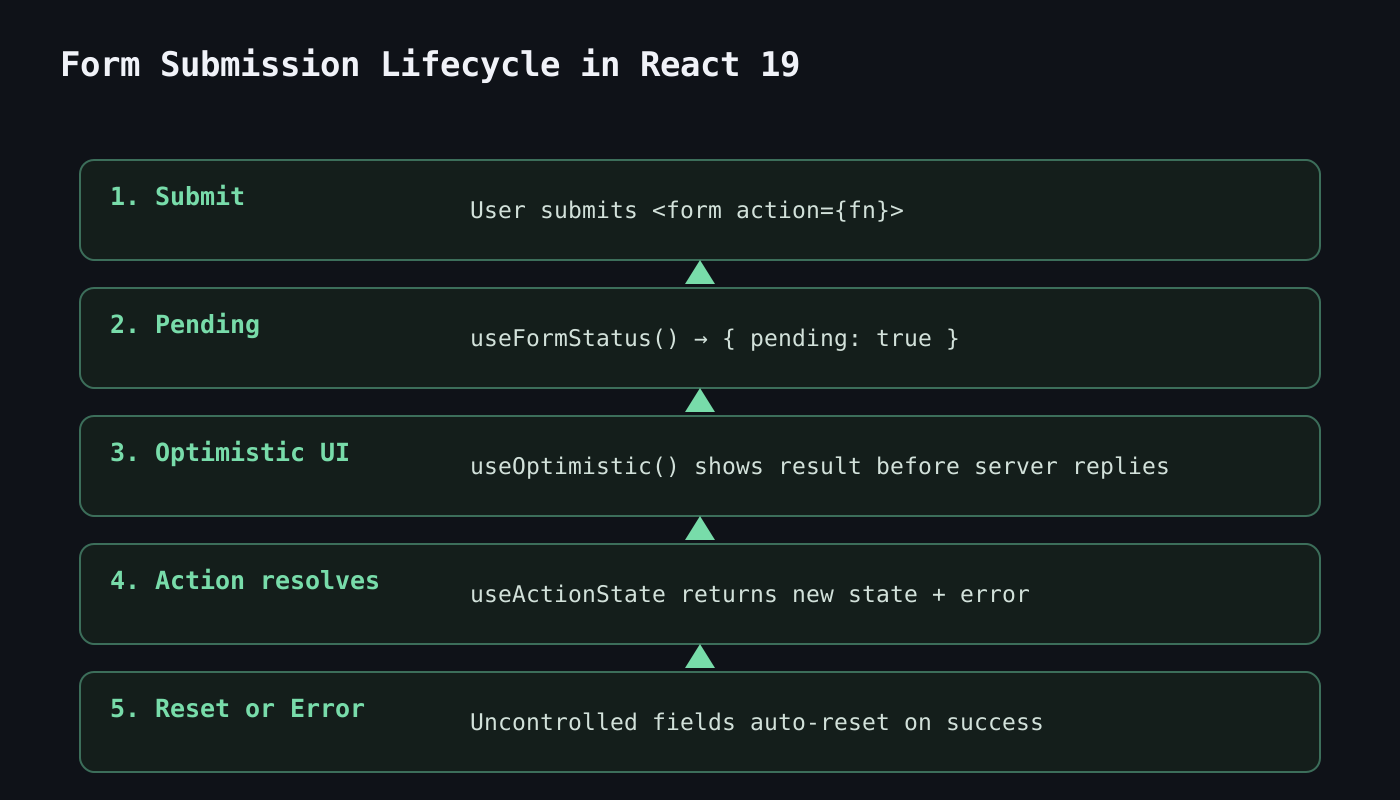
React 19, which went stable on December 5, 2024, shipped a set of features the React team calls Actions — and along with them, three new hooks (
useActionState,
useFormStatus,
useOptimistic) that eliminate most of the manual pending/error state developers used to hand-write for every form. If a codebase is still tracking
isSubmitting and
submitError with a pair of
useState calls on every form, that’s boilerplate
React 19 now handles natively.
The Old Way: Manual State for Everything
Before React 19, a form with proper loading and error handling meant wiring up state by hand for each of those concerns separately:
function OldSignupForm() {
  const [isSubmitting, setIsSubmitting] = useState(false);
  const [error, setError] = useState(null);

  async function handleSubmit(e) {
    e.preventDefault();
    setIsSubmitting(true);
    setError(null);
    try {
      await createUser(new FormData(e.target));
    } catch (err) {
      setError(err.message);
    } finally {
      setIsSubmitting(false);
    }
  }

  return (
    <form onSubmit={handleSubmit}>
      <input name="email" />
      <button disabled={isSubmitting}>Sign up</button>
      {error && <p>{error}</p>}
    </form>
  );
}
This works, but every form in the app repeats the same three lines of plumbing.
useActionState: Pending and Error State, Built In
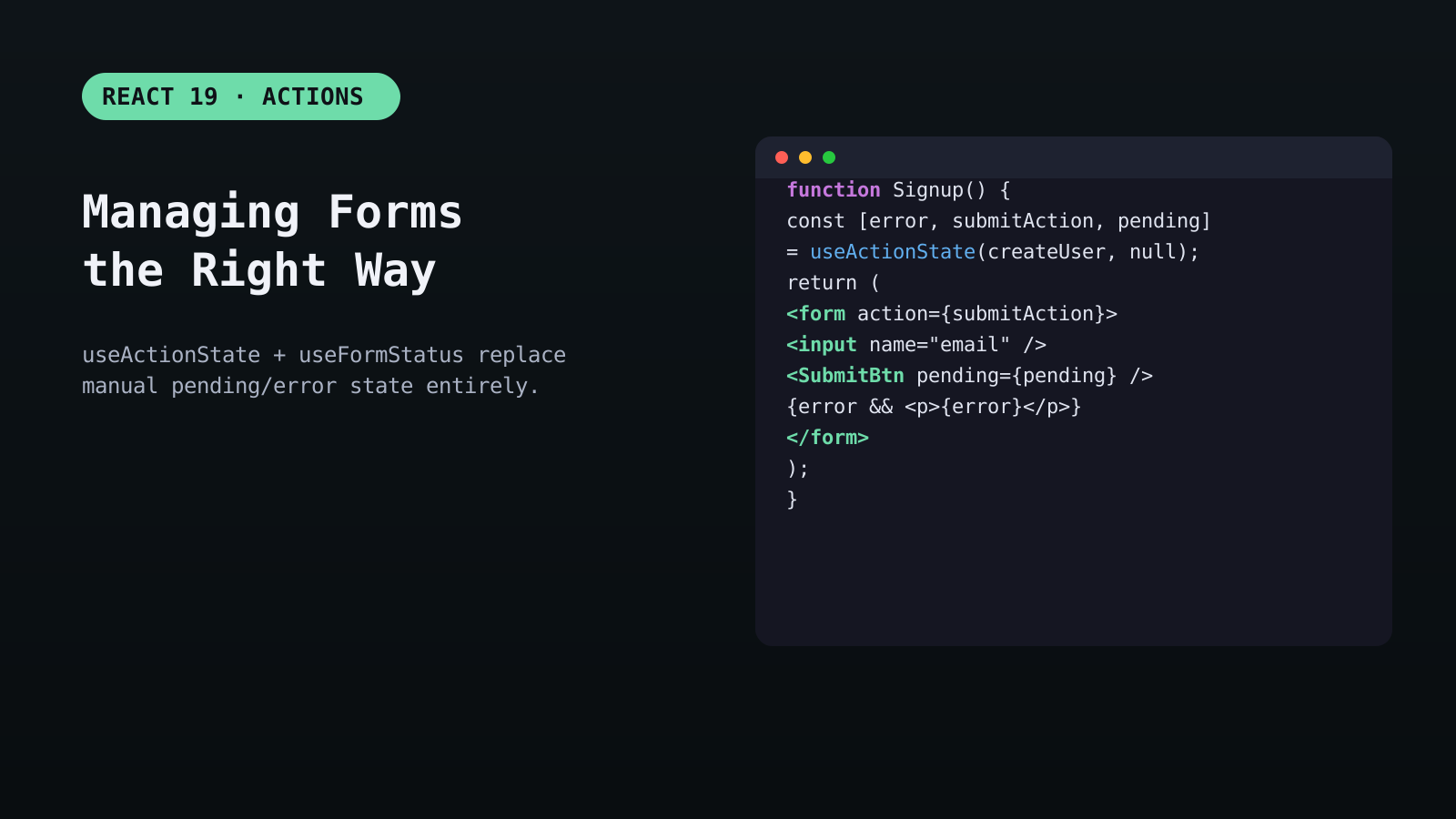
useActionState takes an async function (an “Action”) and returns the current state, a wrapped version of the function to pass to
<form action>, and a pending flag — no manual try/catch/finally required.
function SignupForm() {
  const [error, submitAction, isPending] = useActionState(
    async (previousState, formData) => {
      try {
        await createUser(formData);
        return null; // no error
      } catch (err) {
        return err.message;
      }
    },
    null
  );

  return (
    <form action={submitAction}>
      <input name="email" />
      <button disabled={isPending}>Sign up</button>
      {error && <p>{error}</p>}
    </form>
  );
}
Passing a function directly to a
<form>‘s
action prop is itself new in React 19 — React automatically wires it up and, on success, resets any uncontrolled fields in the form for you. If manual reset is ever needed, the new
requestFormReset DOM API handles it explicitly.

useFormStatus: Status Without Prop Drilling
Design systems often need a submit button that knows whether its parent form is currently submitting — traditionally that meant threading a
pending prop down manually or reaching for Context.
useFormStatus reads that status directly from the nearest parent
<form>, with zero props:
function SubmitButton() {
  const { pending } = useFormStatus();
  return (
    <button disabled={pending}>
      {pending ? 'Submitting…' : 'Submit'}
    </button>
  );
}

// Works from anywhere inside the form, no props passed:
<form action={submitAction}>
  <input name="email" />
  <SubmitButton />
</form>
useFormStatus only works for a component rendered as a descendant of the
<form> — it reads context from the nearest enclosing form, not from a form referenced by ID or ref elsewhere on the page.
useOptimistic: Instant Feedback Before the Server Replies
For actions where the outcome is almost always successful — liking a post, checking off a to-do — waiting for a round trip before updating the UI feels sluggish.
useOptimistic shows the expected result immediately and automatically reverts if the action fails:
function TodoItem({ todo, toggleTodo }) {
  const [optimisticDone, setOptimisticDone] = useOptimistic(todo.done);

  async function handleToggle() {
    setOptimisticDone(!optimisticDone); // instant UI update
    await toggleTodo(todo.id);          // real request, in the background
  }

  return (
    <label>
      <input type="checkbox" checked={optimisticDone} onChange={handleToggle} />
      {todo.text}
    </label>
  );
}
Client-Side Validation Still Belongs to You
Actions handle the async lifecycle, not validation rules. Basic required-field and pattern checks are still best handled with native HTML attributes (
required,
pattern,
type="email"), with an Action validating anything that needs server data (uniqueness checks, business rules) and returning field-level errors as part of its state.
<input name="email" type="email" required />
Frequently Asked Questions
Do I still need a form library like React Hook Form or Formik?
For complex multi-step forms with heavy client-side validation, schema validation, or field arrays, those libraries still add real value. For simpler forms — contact forms, settings panels, single-step signups — native Actions now cover what used to require pulling in a library.
What’s the difference between useActionState and just calling an async function in onSubmit?
useActionState gives you pending and error/result state for free, integrates with <form action> for automatic reset on success, and composes with useFormStatus in child components — a hand-written onSubmit handler requires wiring all three of those manually.
Does useOptimistic work for actions that might fail?
Yes — if the underlying async action throws or the promise rejects, React automatically reverts the optimistic value back to the real state on the next render, so the UI self-corrects without extra code.Want more React deep dives like this?
Explore more Web Development articles.
Related Reading
Post Views: 256